PMS Integrations Overview
Connect HelloShift to your PMS to sync guest reservations, room status, and housekeeping data automatically.
Connect HelloShift to your Property Management System (PMS) to automatically sync guest reservations, room status, and housekeeping data.
Overview
Supported PMS Systems
HelloShift integrates with 20+ Property Management Systems directly, plus additional systems through integration hubs.
Direct Integrations
Hub Integrations
Through Hapi (integration hub):
Agilysys
ASI
AutoClerk
HotelKey
Infor HMS
SMS Host
Shiji
SynXis
Visual Matrix
Through SiteMinder:
14+ additional PMS systems
Integration Capabilities
Guest Import
What syncs from PMS:
Guest name (first and last)
Phone number and email
Arrival and departure dates
Room number(s)
Confirmation number
Booking source (OTA/direct)
Guest status (confirmed, checked-in, checked-out)
Special requests and notes
VIP status
Guest status mapping:
Room Status Sync
What syncs:
Room number and type
Cleaning status (clean, dirty, inspected)
Occupancy status (occupied, vacant)
Out of order/service status
Direction:
Charge Posting
Post guest shop orders directly to their PMS folio (available PMS only):
Cloudbeds: Full support
StayNTouch: Full support
Impala: Full support
Others: Manual posting required
Connecting Your PMS
Multiple properties on one PMS account? Connecting it creates one HelloShift site per property automatically, and two separate PMS accounts can both be connected to the same login. Guest directories stay separate per property — see Multi-Site Management for how to work across them.
OAuth-Based Systems (Self-Service)
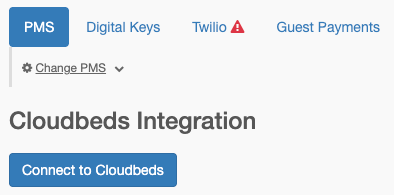
For Cloudbeds, Mews, StayNTouch, rezStream, and Tokeet (AdvanceCM):
Go to Admin > Integrations
Select your PMS from the dropdown
Click Connect to [PMS Name]
Log in to your PMS account
Authorize HelloShift
Properties are automatically discovered
Invite Code Systems
For Beds24:
Log in to your Beds24 account
Go to Settings > Account Access
Generate an Invite Code
In HelloShift, go to Admin > Integrations
Select Beds24
Enter your Invite Code
Click Connect
API Credential Systems
Preno is self-service: copy your API token and tenant ID from Preno > Settings > Integrations > Preno API and enter them on Admin > Integrations — see Integrating HelloShift + Preno for a walkthrough.
For WebRezPro, miniHotel, Maestro, and others:
Contact HelloShift support (support@helloshift.com)
Provide your PMS credentials:
Hotel ID or Property Code
API Username/Password (if applicable)
Endpoint URL (if applicable)
Support completes the integration
Hub Integrations
For Hapi-connected or SiteMinder-connected PMS:
Contact HelloShift support
Support coordinates with the integration hub
No direct PMS credentials needed
Room Mapping
After connecting your PMS, map rooms between systems.
Automatic Room Mapping
Go to Admin > Integrations
Click Sync Rooms from PMS
HelloShift creates rooms matching your PMS
Manual Room Mapping
If room names differ between systems:
Go to Assets & Tags > Rooms
For each room, set the PMS Room ID field
This links the HelloShift room to the PMS room
Mapping Best Practices
Keep room names consistent between systems
Re-sync after adding rooms in PMS
Verify mapping after connection changes
Sync Frequency
Automatic Syncs
Manual Syncs
Force an immediate sync:
Go to Admin > Integrations
Click Sync Now (if available)
PMS-Specific Features
Cloudbeds
Full-featured integration:
Real-time webhooks for instant updates
Charge posting for shop orders
Availability and rate queries
Multi-property support via OAuth
Mews
Enterprise-ready:
OAuth via Mews Marketplace
Department sync to HelloShift
Comprehensive reservation data
Room status bidirectional sync
StayNTouch (Rover)
Contactless-focused:
Pre-check-in data sync
Payment card integration
Automatic check-in triggers
Shift4 payment support
Beds24
Vacation rental optimized:
Token-based refresh
Multi-property support
Paginated booking import
Door code sync capability
OHIP (Opera Cloud)
Enterprise Oracle integration:
Guest profile enrichment
Departure tracking
Corporate account support
rezStream
Cloud PMS integration:
OAuth self-service connection
Automatic room/unit discovery
Incremental reservation sync
Booking source tracking
Tokeet (AdvanceCM)
Vacation rental channel manager:
OAuth self-service connection (Tokeet, AdvanceCM, and Sympl brands)
Real-time webhooks for booking updates
Rentals import as HelloShift rooms
OTA booking source and confirmation number tracking
Preno
Boutique hotel PMS (popular in Australia & New Zealand):
Self-service connection with an API token and tenant ID (Preno Growth plan, API access enabled by Preno support)
Real-time webhooks for booking updates, registered automatically
Rooms import as HelloShift rooms; multi-room bookings create one stay per room
OTA booking source and confirmation number tracking
What Doesn't Sync
Limitations
PMS as Source of Truth
Your PMS remains the primary system for:
Reservations and bookings
Rate management
Inventory and availability
Guest folios and billing
HelloShift is optimized for:
Guest communication
Housekeeping management
Staff collaboration
Contactless check-in
Troubleshooting
Guests not importing
Possible Causes:
PMS connection expired
Credentials incorrect
No reservations in date range
PMS sync error
Solutions:
Reconnect PMS (re-authorize OAuth)
Verify credentials with PMS support
Check PMS has upcoming reservations
Contact support@helloshift.com
Room status not updating
Possible Causes:
Room mapping incorrect
PMS doesn't support room sync
Sync hasn't run yet
Solutions:
Verify room mapping in settings
Check PMS capabilities (see table above)
Wait for next automatic sync or trigger manual sync
Duplicate guests appearing
Possible Causes:
Multiple reservations for same guest
PMS sending duplicates
Phone/email variations
Solutions:
Merge duplicate guest records in HelloShift (admins: open the guest profile actions menu and click merge into another guest…; see All About Guest Messaging → Merging Duplicate Guests for the full walkthrough)
Review PMS data for duplicates
Standardize guest contact info in PMS
Connection keeps disconnecting
Possible Causes:
OAuth token expired
PMS password changed
API access revoked
Solutions:
Reconnect via OAuth
Update credentials if changed
Verify API access in PMS settings
Webhook not receiving updates
Possible Causes:
Webhook URL not configured in PMS
Firewall blocking requests
PMS webhook feature not enabled
Solutions:
Verify webhook URL in PMS settings
Check with PMS support for webhook setup
Confirm webhook feature is included in PMS plan
Reservation mismatch between HelloShift and PMS
Symptom: The reservation in HelloShift shows different data than what appears in your PMS.
Diagnosis:
Check the Last Synced At datetime on the guest record
If the timestamp is not recent, the reservation may be out of date
Solutions:
For pull-based PMS: Go to Guest > Import and click Import from [PMS Name] to fetch the latest reservation data
For push-based PMS: Make a small, harmless change to the reservation in your PMS (such as updating a note) to trigger the PMS to push the updated reservation
After syncing, verify the Last Synced At timestamp has updated. If discrepancies persist after a fresh sync, contact support@helloshift.com with the guest name and reservation ID.
Requesting a New Integration
If your PMS isn't listed:
Contact support@helloshift.com
Provide:
PMS name and vendor
API documentation (if available)
Your use case
We'll evaluate and provide timeline
Popular requests are prioritized for development.
Related Articles
Smart Lock Integration - Digital key setup
Guest Automations - Automated messaging
Room & Cleaning Automations - Housekeeping automation
Integrating HelloShift + Tokeet (AdvanceCM) - Tokeet / AdvanceCM setup guide
Integrating HelloShift + Preno - Preno setup guide